Issue:
On ARM-based motherboards (ALTRA, AMPONE series), when the system is running some specific OS such as RHEL 9.5 and 9.6, executing the “Orderly Shutdown” or “Orderly Reboot” function from WebUI may cause the system to enter and remain on a black screen.
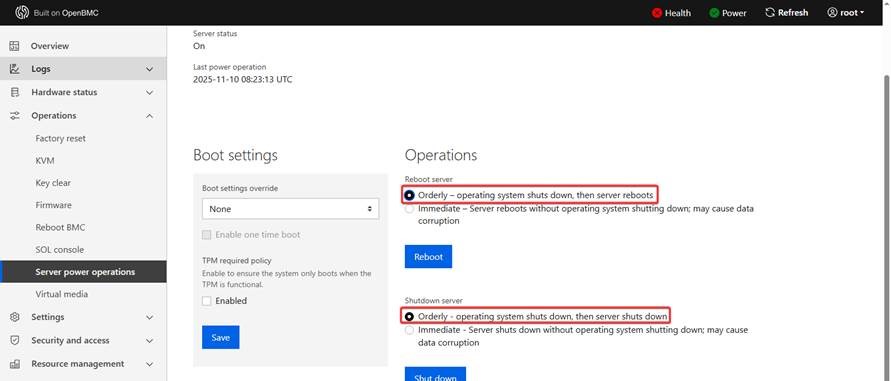
Step to resolve the issue:
1. Perform an AC power cycle, then boot into the OS
2. Open a terminal and execute the following commands to install the “acpid” module.
A. $ dnf install acpid
B. $ systemctl enable acpid
C. $ systemctl start acpid
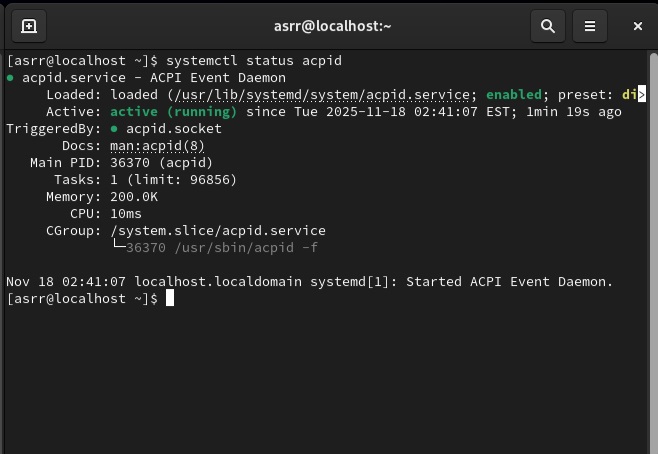
3. After installation, run the following command to verify whether the “acpid” module is functioning properly, as shown in the image below.
$ systemctl status acpid #check acpid status
4. Try the functions from the WebUI again to check whether the issue has been resolved.