To update the BMC firmware via IPMI, please follow the steps below.
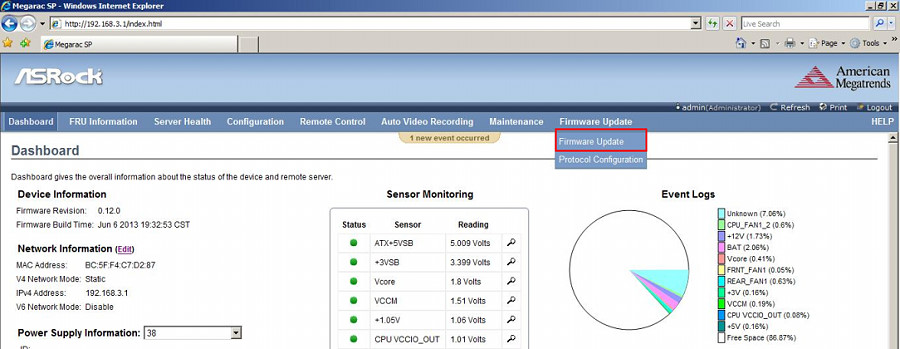
- Enter the management system and click the Firmware Update from the top menu bar.*Note: please make sure your browser is IE v11.0.9600.17239, FireFox v31.0, Chrome v37.0.2062.120 or above version.
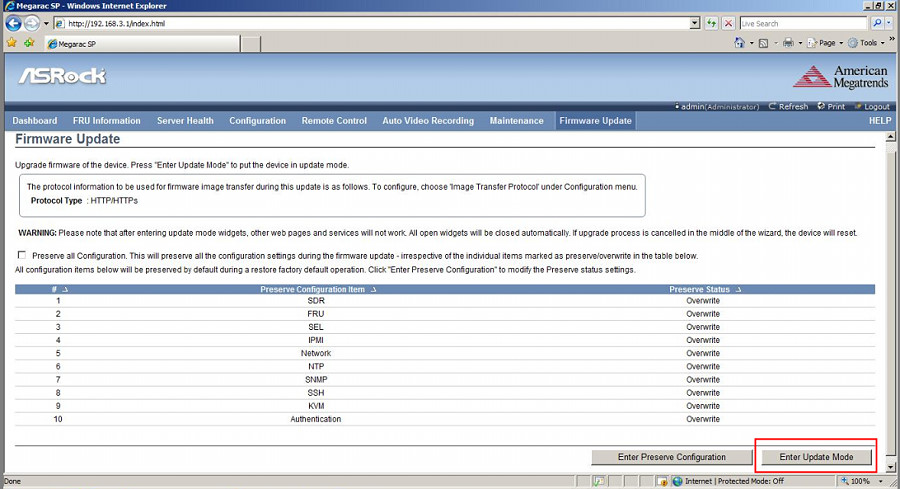
- Click Enter Update Mode > OK.
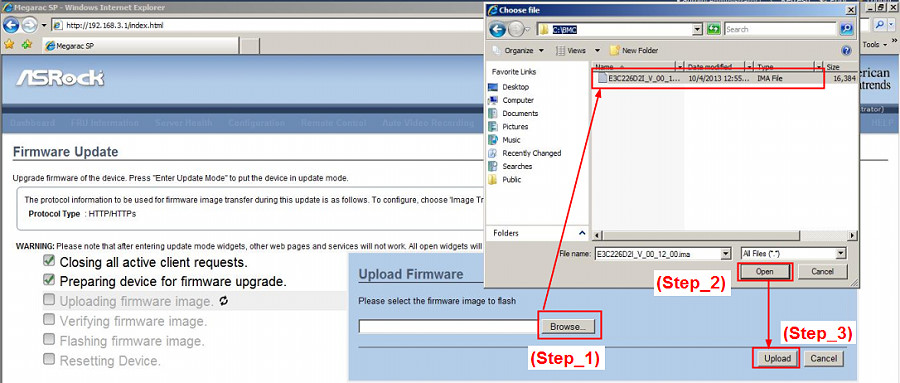
- Click Browse… to select the BMC firmware file from the directory. Click Open > Upload.
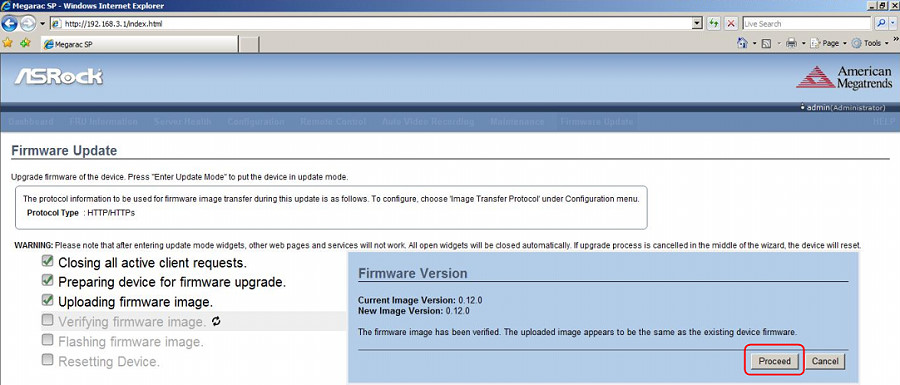
- Click Proceed > OK to start.
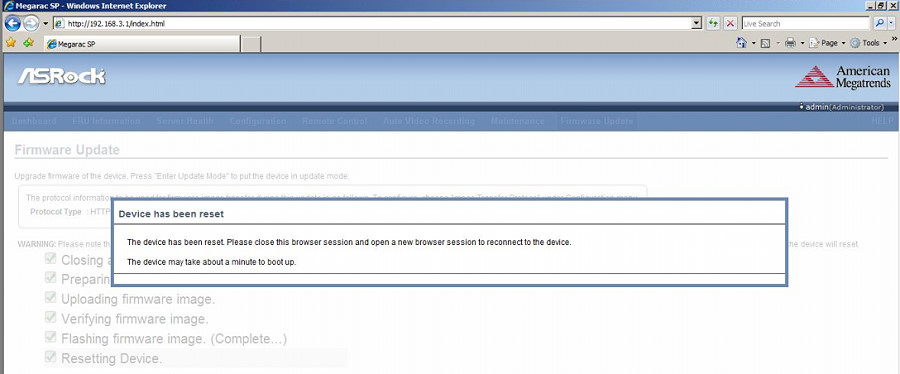
- When you see the screen below, firmware upgrade is completed.
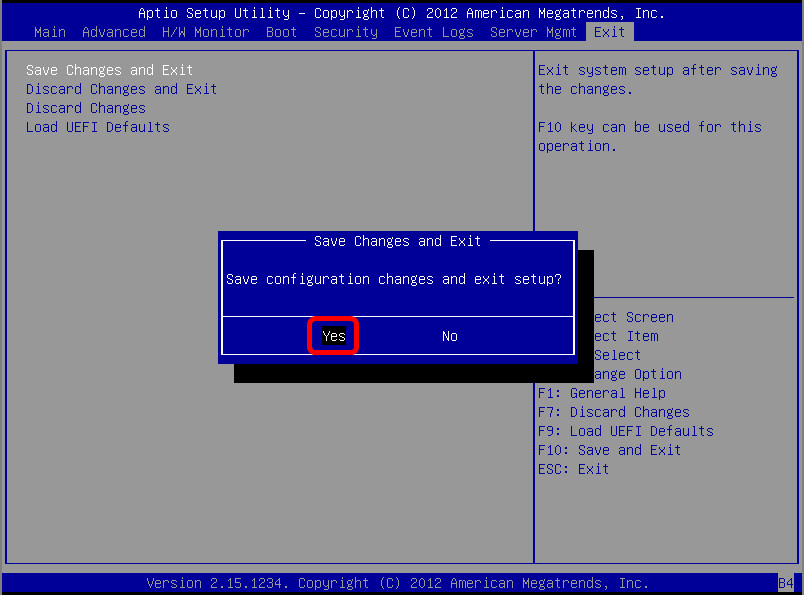
- Go back to your server and, in the BIOS screen, press [F10] and Yes to save the configuration changes and reboot the server.