Steps to update BIOS firmware via IPMI webUI
(Supports server motherboard built with BMC AST2500/AST2600 controller)
BIOS Firmware Update
[Maintenance] -> [BIOS Update]
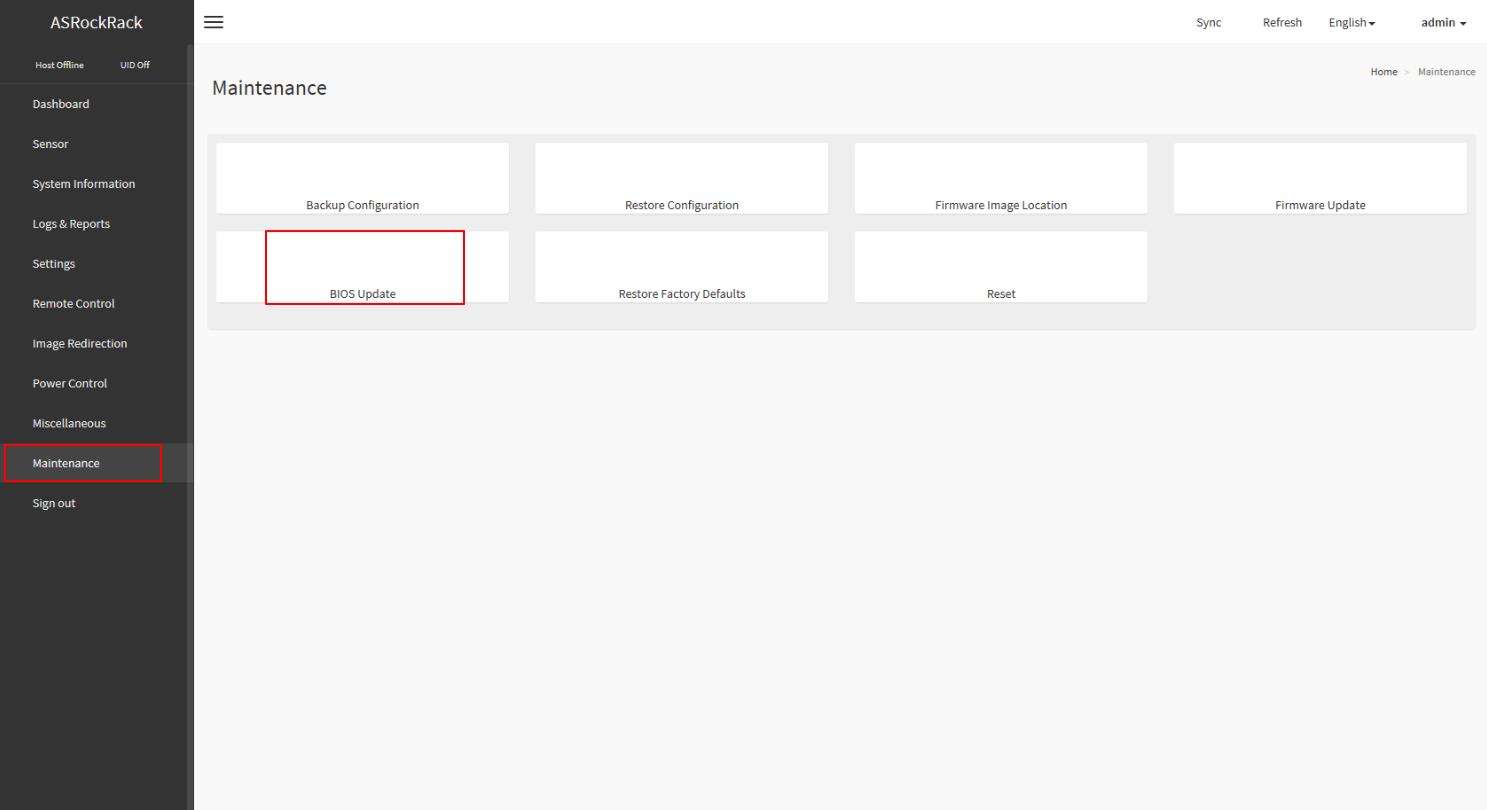
This wizard will takes you through the process of firmware upgrades.
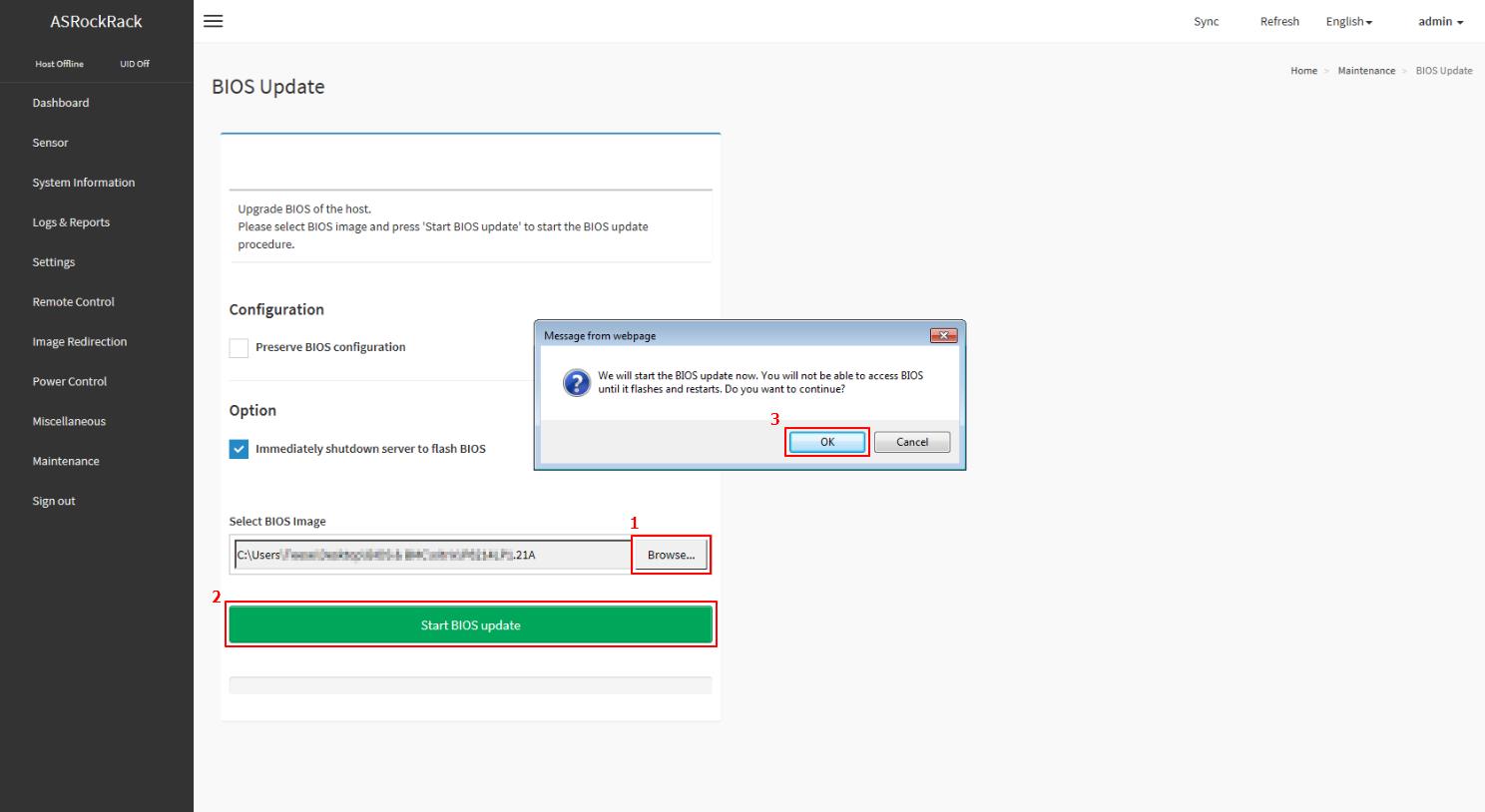
Click the “Browse...” to select the BIOS FW file. Then click “Start BIOS update” for the upgrade process. And click “OK” if confirmed to continue the process.
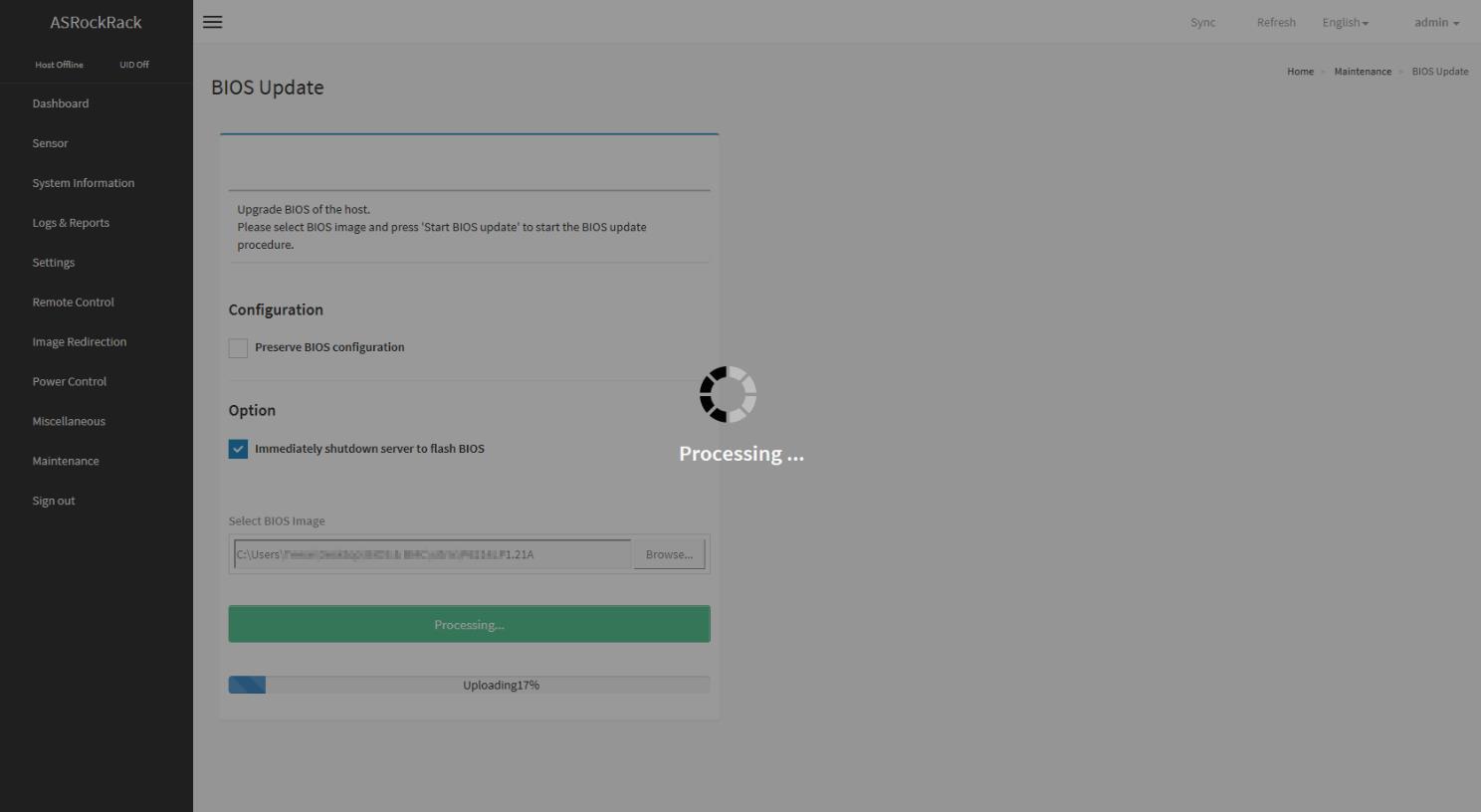
FW verification processing, please wait a few second..
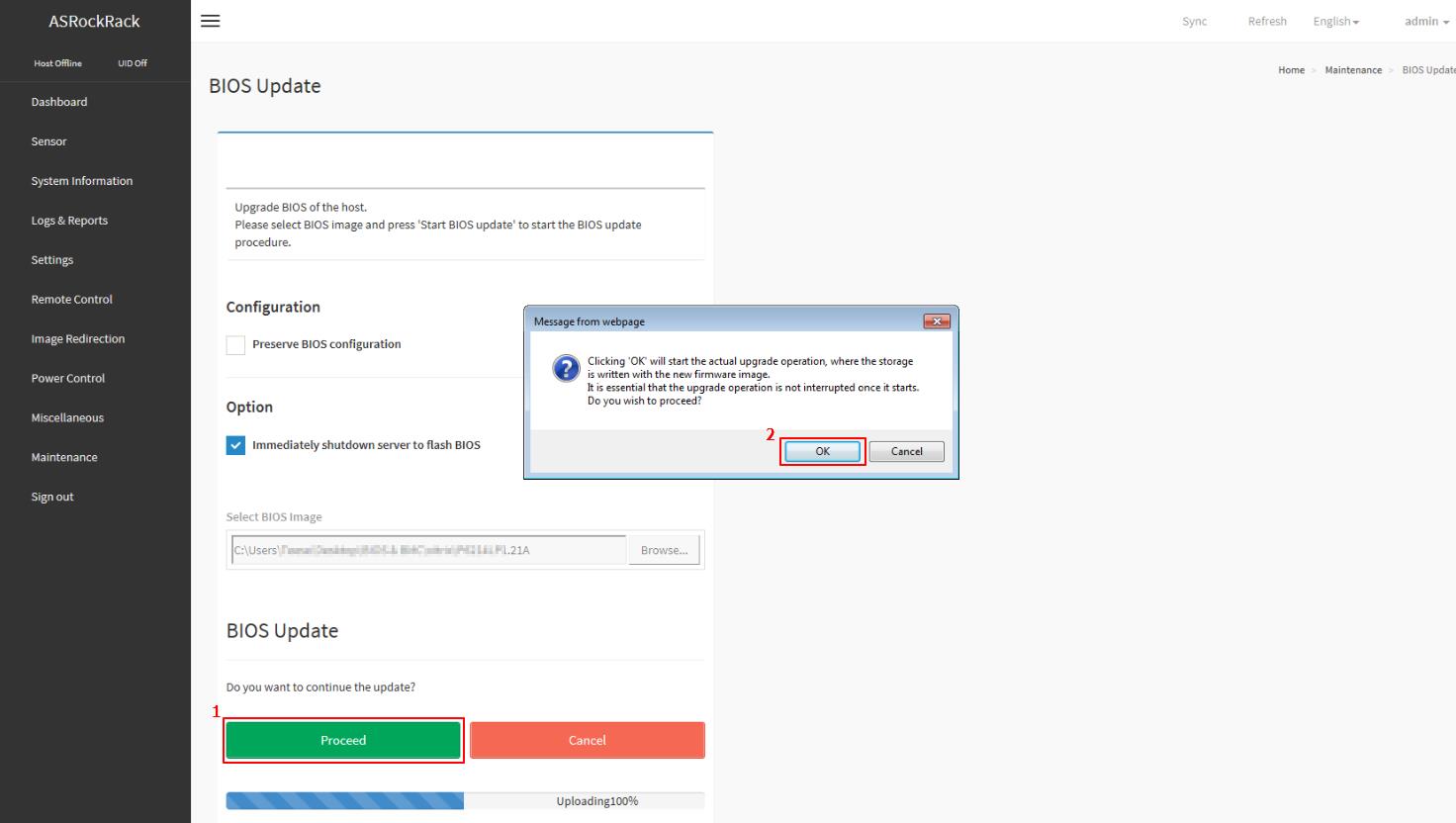
Click “Proceed” to continue the BIOS FW upgrade process. Then click “OK” to start the actual BIOS FW upgrade operation.
FW updrage is processing, please wait a few second..
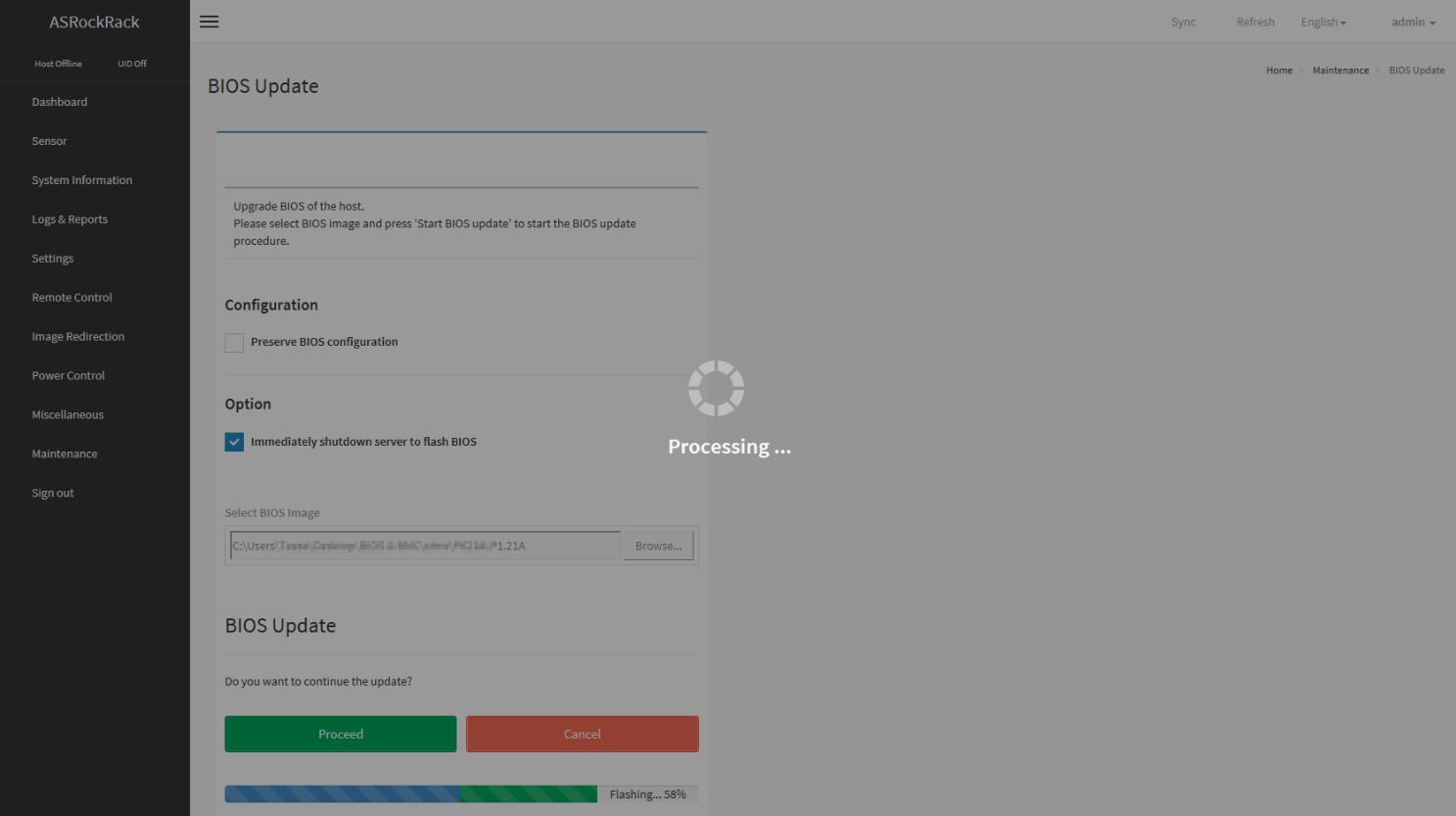
BIOS FW upgrade process finished. Click “OK” to reload the webpage.
Remark: Clear the browser cookies after the BIOS FW upgrade process finished.