How to update BIOS through Server Management Utility?
(Supports server motherboard built with BMC AST2500 controller)
Preparation
1. Download and install the Server Management Utility.
(Download: http://www.asrockrack.com/support/SMU.asp)
Steps
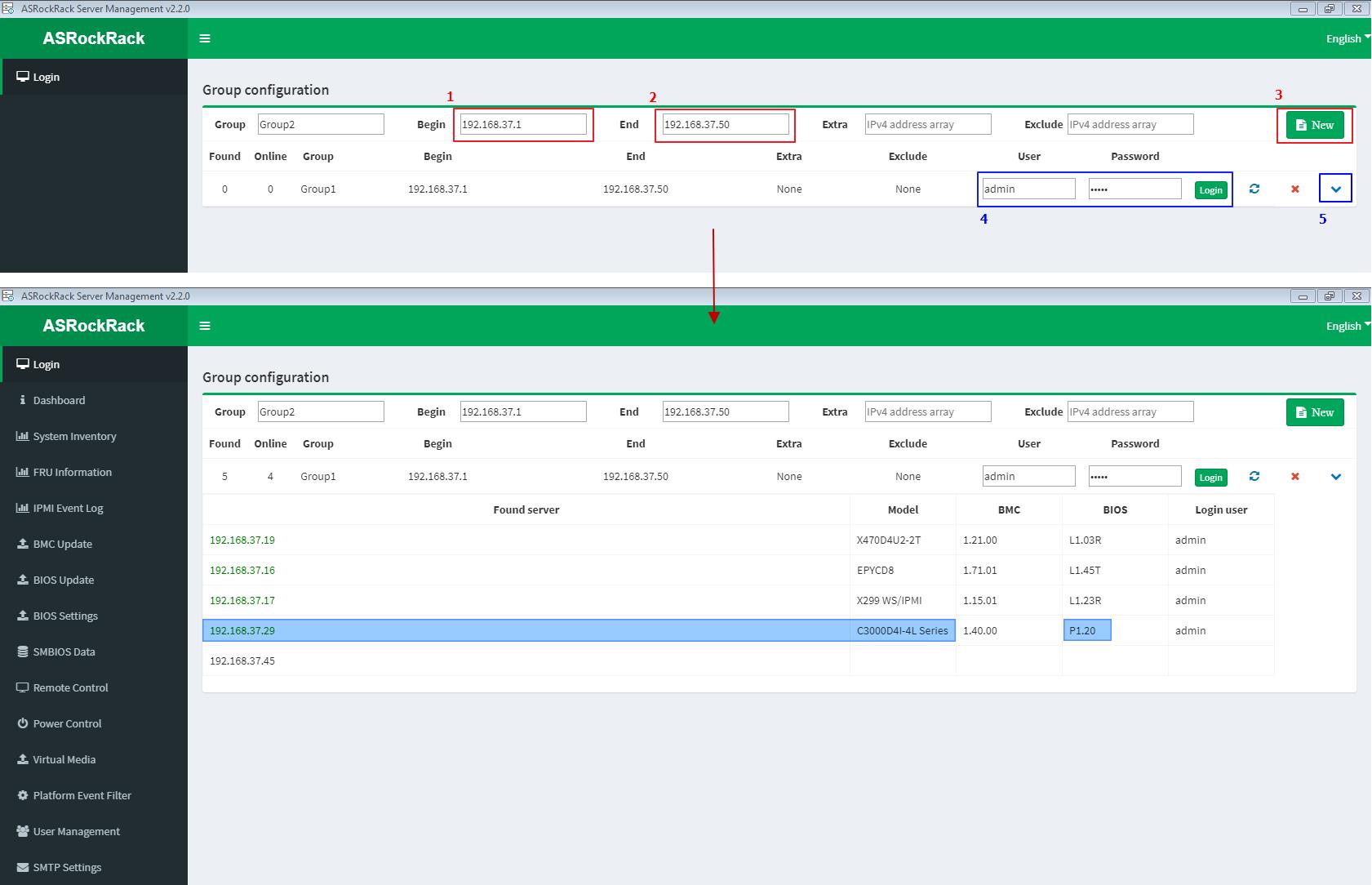
Step 1: Login
1~3: Key-in the IP address range to search out the host machine where need to do the BIOS update procedure.
4~5: Key-in BMC login account, then pull-down to check those searched machines.
(For example: Host machine IP = 192.168.37.29)
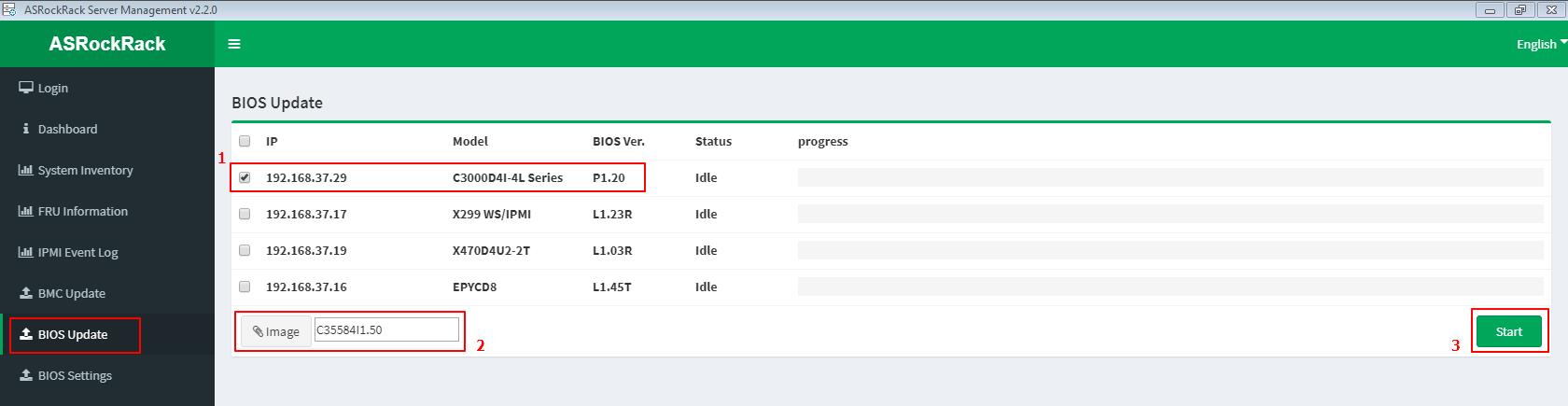
Step 2: BIOS Update
- Tick to select the host machine (ex. 192.168.37.19)
- Import the host machine BIOS image file
- Click “Start” button to start the BIOS update process
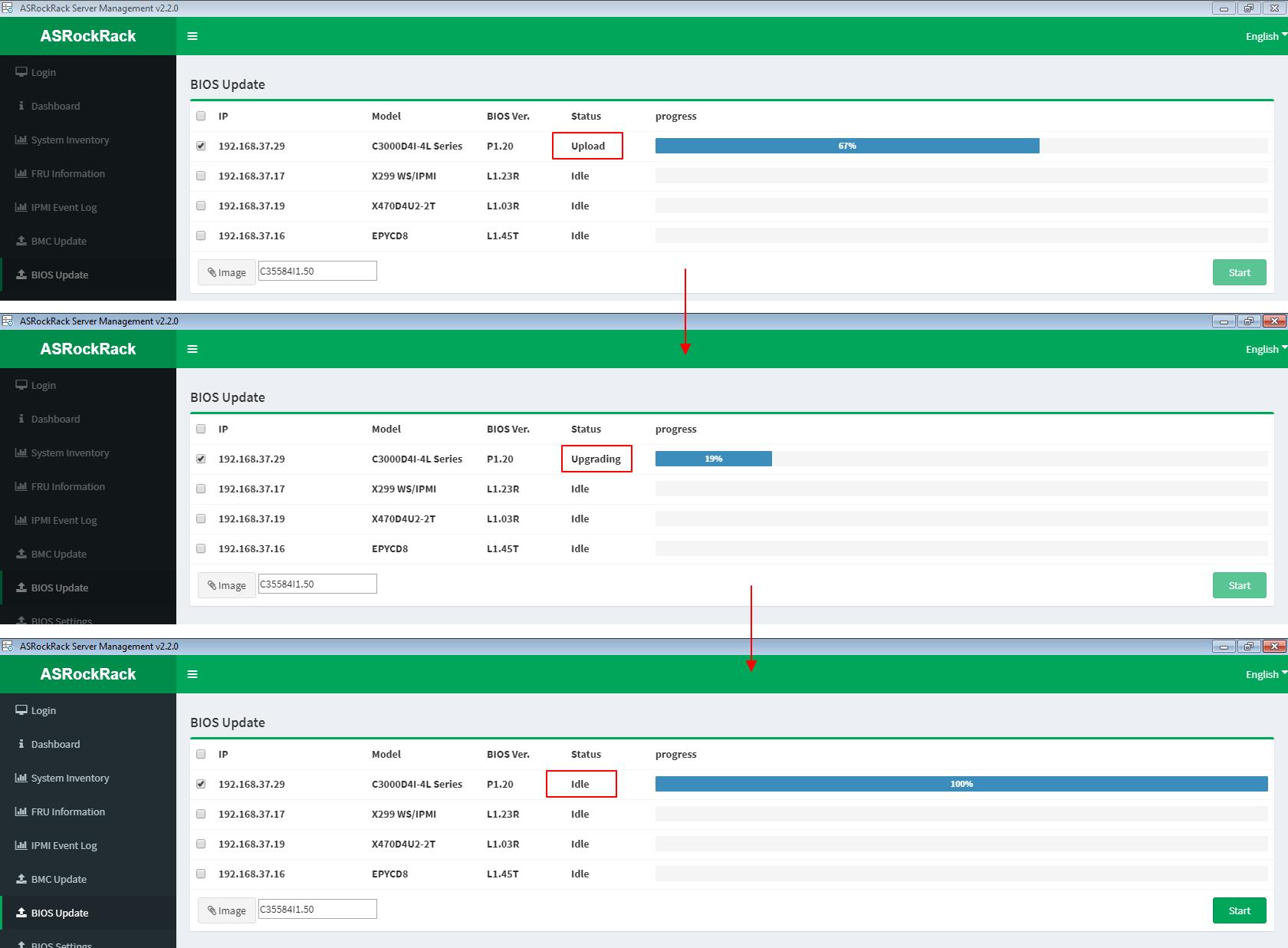
BIOS update is processing with procedures [Upload --> Upgrading --> Idle]
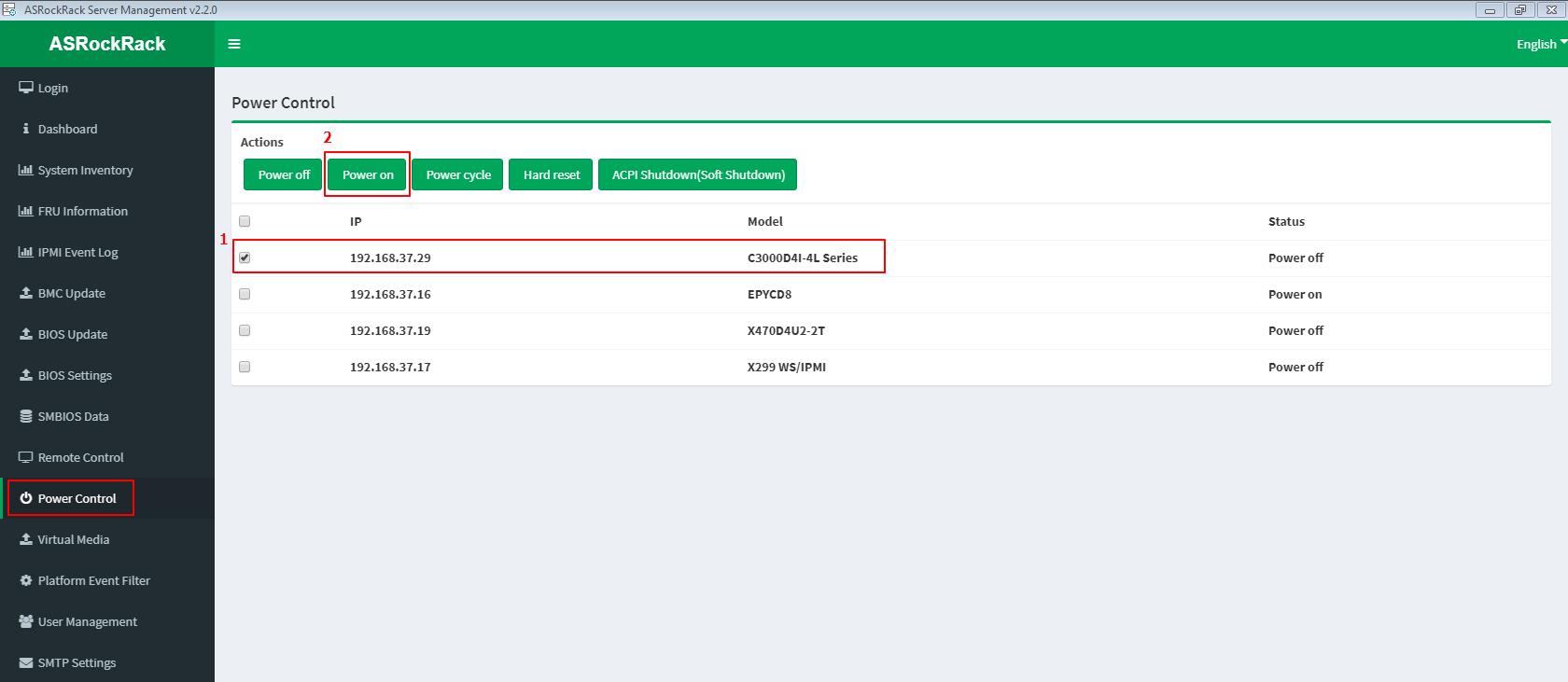
Step 3: Power ON/Reboot system remotely
- Tick to select the host machine IP (ex. 192.168.37.19)
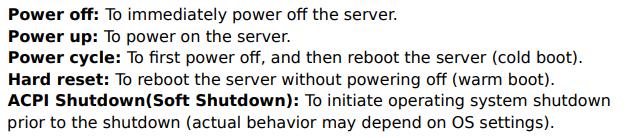
- Click “Power on” (“Hard reset” if for reboot)
Step 4: Remote control system
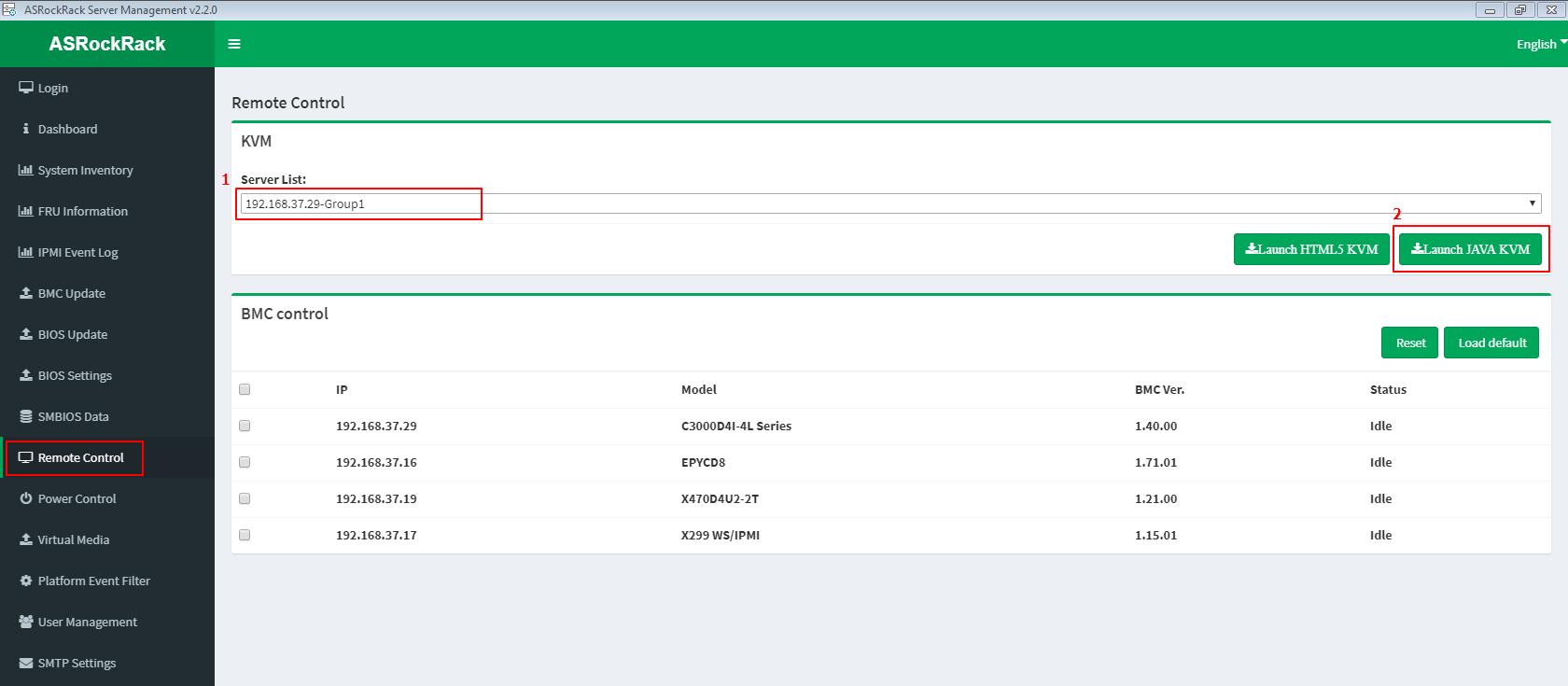
- Select the host machine (ex. 192.168.37.19)
- Click “Launch JAVA KVM”
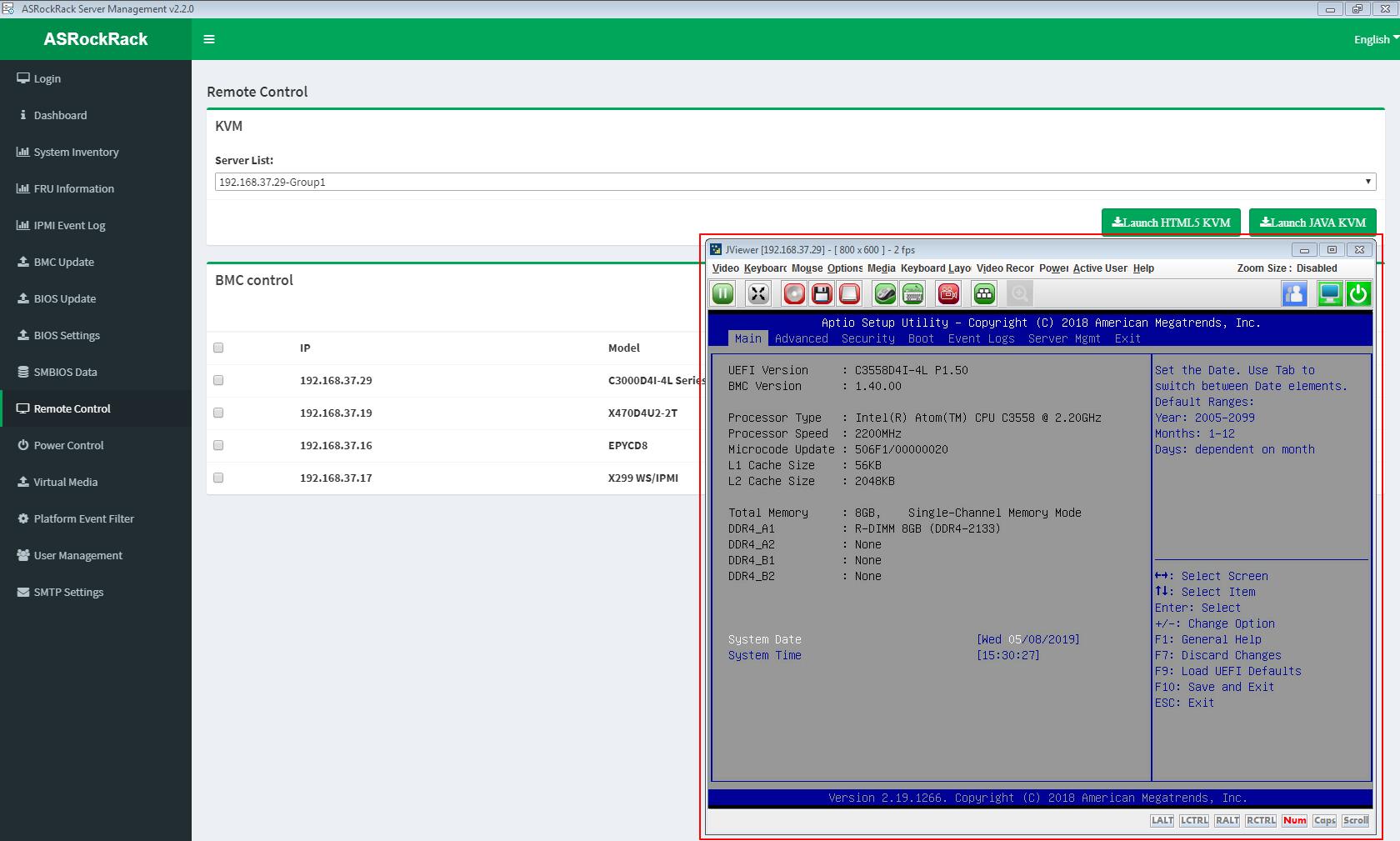
- Remote the host machine by Jviewer. And check to whether the BIOS update process is success or fail.
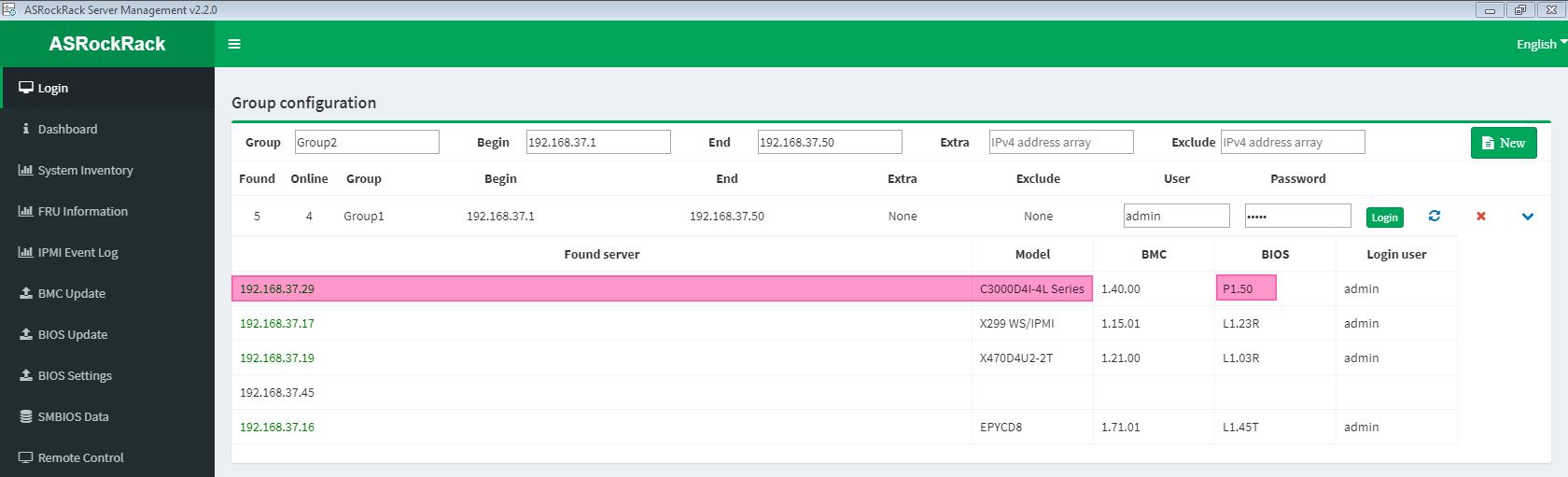
Step 5: Back to Step 1: Login
Check to the latest BIOS version of the host machine.
(For example: Host machine IP = 192.168.37.29)